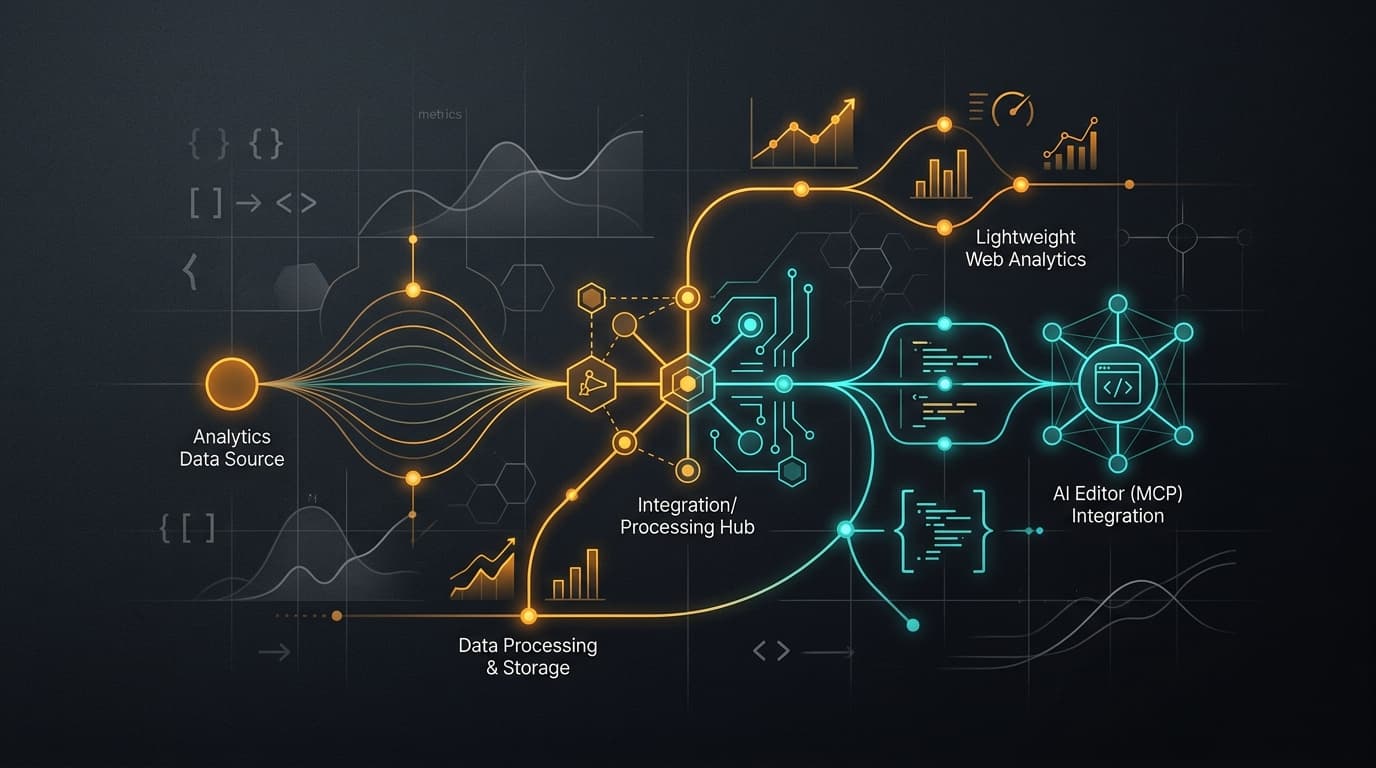
When running a high-touch AI consulting practice, understanding how visitors interact with your website is essential.
I need to know which technical articles attract founders, how deeply readers engage with our architectural breakdowns, which social channels drive qualified leads, and whether AI search engines like ChatGPT and Perplexity are indexing our publications.
However, as a solo practitioner building software for clients, I refuse to spend three hours a week clicking through bloated analytics dashboards or maintaining complex multi-database clusters. I also refuse to punish visitors with heavy tracking scripts and intrusive cookie consent banners.
I set out to build an analytics pipeline with four specific operational requirements:
- Zero SaaS Subscriptions & Full Data Sovereignty: Self-hosted on my existing virtual server, completely free under open-source license terms.
- Zero Core Web Vitals Penalty: Cookieless, ultra-lightweight client telemetry that never blocks page rendering.
- Deep Engagement & Lead Attribution: Granular scroll milestones, section visibility, and anonymous-to-identified journey stitching upon form submission.
- Autonomous AI Monitoring: Connected directly to my Google Antigravity coding assistant and Seepient AI agents over the Model Context Protocol (MCP) to handle health checks, scheduled executive digests, and real-time anomaly fixes.
To achieve this, I chose Smol Analytics—the lightweight, open-source analytics engine created by Arjun Patel. I didn't write the underlying analytics engine myself; Arjun built the remarkable Go backend. My job was architecting and shipping the complete operational integration for Zyntopia: deploying the self-hosted container, writing our Next.js telemetry layer, and wiring autonomous AI agent loops to monitor and maintain it.
In Part 1: The AI-Native Analytics Engine, I introduced the core ideas behind Smol Analytics and its 94-tool MCP architecture. Here, I share the exact build log of how I implemented and configured this stack for Zyntopia.
1. Deploying the engine on a private virtual server
Rather than spinning up an elaborate cloud setup, I deployed Smol Analytics as a single Docker container on my private virtual private server (VPS).
Because Smol Analytics is released by Arjun Patel under the open-source MIT license, self-hosting the official container gives you unrestricted access to its full feature set without arbitrary paywalls or event volume limits. To comply with licensing guidelines, I maintain the open-source attribution while running the service entirely on private infrastructure.
# docker-compose.yml on private VPS
services:
  smolanalytics:
    image: ghcr.io/arjun0606/smolanalytics:latest
    container_name: smolanalytics
    restart: unless-stopped
    ports:
      - "127.0.0.1:8090:8080"
    volumes:
      - ./analytics-data:/data
    environment:
      - PORT=8080
      - DATA_DIR=/data
The container runs behind a secure reverse proxy with automated SSL termination. On initial boot, the engine generates two distinct keys:
- Write Key (Public): A restricted key embedded into frontend web pages that is only permitted to record incoming events via
POST /v1/events. - Read Key (Secret): An administrative token granting full access to computed reports, dashboard management, and the 94 MCP tools.
2. The telemetry architecture in Next.js
With the server running, I instrumented Zyntopia's Next.js application across four distinct layers:
A. Non-blocking client SDK injection (components/SmolAnalytics.tsx)
In modern web development, adding external scripts can easily degrade your Cumulative Layout Shift (CLS) or Largest Contentful Paint (LCP).
To prevent any performance degradation, I load the tracking script asynchronously using Next.js next/script with strategy="afterInteractive". The tracker initializes inside the onLoad lifecycle hook:
// components/SmolAnalytics.tsx
"use client";

import Script from "next/script";

export function SmolAnalytics() {
  const host = process.env.NEXT_PUBLIC_SMOLANALYTICS_HOST;
  const writeKey = process.env.NEXT_PUBLIC_SMOLANALYTICS_WRITE_KEY;
  const env = process.env.NEXT_PUBLIC_VERCEL_ENV || process.env.NODE_ENV || "production";

  if (!host || !writeKey) return null;

  return (
    <Script
      src={`${host}/sdk.js`}
      strategy="afterInteractive"
      onLoad={() => {
        if (typeof window !== "undefined" && window.smolanalytics) {
          window.smolanalytics.init(writeKey, {
            host,
            env,
          });
        }
      }}
    />
  );
}
Environment isolation: Passing
envensures that staging preview deployments and local development sessions never contaminate production analytics metrics.
B. Type-safe event dispatching (lib/analytics.ts)
To prevent client errors from interrupting user interactions, all custom tracking calls route through a safe utility layer:
// lib/analytics.ts
export function trackEvent(name: string, properties?: Record<string, unknown>) {
  if (typeof window !== "undefined" && window.smolanalytics?.track) {
    try {
      window.smolanalytics.track(name, properties);
    } catch (e) {
      console.error("[analytics] track error:", e);
    }
  }
}

export function identifyUser(distinctId: string) {
  if (typeof window !== "undefined" && window.smolanalytics?.identify) {
    try {
      window.smolanalytics.identify(distinctId);
    } catch (e) {
      console.error("[analytics] identify error:", e);
    }
  }
}
C. High-intent conversion & identity stitching (components/LeadForm.tsx)
When a prospective client browses the site, their actions remain anonymous and cookieless. However, when they submit our contact form, two critical operations occur:
// Inside LeadForm.tsx submission handler
identifyUser(payload.email);
trackEvent("lead_submitted", {
  company: payload.company || undefined,
});
Calling identifyUser immediately stitches that user's past anonymous reading history into their verified email profile. When I review a lead, I can see the exact sequence of technical articles and case studies they read before deciding to reach out.
D. Granular reading engagement (components/ScrollTracker.tsx)
A simple pageview does not tell you if someone actually read your content. Just as I emphasized when designing conversion layouts in my ChatGPT Sites tutorial, understanding where readers lose interest or finish reading determines how you optimize high-intent landing pages. To measure genuine reader attention, I created ScrollTracker.tsx:
- Scroll depth milestones: Fires
scroll_depthevents at 25%, 50%, 75%, and 100% of page height, along with elapsed reading seconds. - Section visibility: Uses a browser
IntersectionObserverto track when key content sections (#approach,#work,#strategy,#contact) enter the viewport for more than a quarter-screen. - Article completion: When a reader scrolls past 75% on any article, the component triggers
article_read_completed.
E. Social campaign attribution (components/SocialShare.tsx)
When sharing articles across LinkedIn, X, or email newsletters, I generate consistent campaign links with createCampaignUrl:
createCampaignUrl("/blog/my-article", {
  source: "linkedin",
  medium: "social_share",
  campaign: "ai-native-analytics",
});
This ensures every incoming reader is accurately attributed to the right marketing channel on our traffic dashboard.
F. Server-side AI crawler detection (middleware.ts)
Generative AI search bots (like OpenAI's GPTBot, Anthropic's ClaudeBot, and Perplexity's PerplexityBot) never run client-side JavaScript.
To track AI crawler activity, I catch incoming user-agents at the Next.js edge in middleware.ts and dispatch a fire-and-forget $ai_crawl event directly to the Smol Analytics ingestion API:
// Inside middleware.ts
const AI_CRAWLERS = [
  { pattern: /GPTBot/i, crawler: "GPTBot", operator: "OpenAI", purpose: "training" },
  { pattern: /OAI-SearchBot/i, crawler: "OAI-SearchBot", operator: "OpenAI", purpose: "search" },
  { pattern: /ClaudeBot/i, crawler: "ClaudeBot", operator: "Anthropic", purpose: "training" },
  { pattern: /PerplexityBot/i, crawler: "PerplexityBot", operator: "Perplexity", purpose: "search" },
  { pattern: /Applebot/i, crawler: "Applebot", operator: "Apple", purpose: "search" },
];

const matched = AI_CRAWLERS.find((bot) => bot.pattern.test(userAgent));
if (matched) {
  fetch(`${host}/v1/events`, {
    method: "POST",
    headers: {
      "Content-Type": "application/json",
      Authorization: `Bearer ${writeKey}`,
    },
    body: JSON.stringify({
      name: "$ai_crawl",
      distinct_id: "$crawler",
      properties: {
        crawler: matched.crawler,
        operator: matched.operator,
        purpose: matched.purpose,
        path: pathname,
      },
    }),
  }).catch(() => {});
}
Now, our AI visibility reports show exactly which search engines are reading our content, which articles they index most frequently, and how often they crawl our sitemap.
3. Supercharging with Antigravity and Seepient AI agents
Having clean data in a database is only half the battle. The true superpower comes from connecting Smol Analytics to my Google Antigravity coding assistant and our autonomous Seepient agent engine over MCP.
A. AI-assisted instrumentation and health verification
When I add new features to the site, I do not write telemetry code by hand. I ask my AI agent:
"Inspect our new case study gallery and add telemetry tracking for card expands, filter toggles, and outbound client links."
The agent reads the existing code, adds the appropriate trackEvent calls, and executes the verify_instrumentation tool via MCP to confirm that the new events match our schema standards.
B. Autonomous anomaly diagnosis and surgical code repair
When conversion drops, traditional teams spend days arguing over spreadsheets. With an AI agent connected to Smol Analytics, the diagnosis is instant:
- Smol Analytics flags an anomaly in form conversions.
- I ask the agent: "Why did form submissions dip over the weekend?"
- The agent calls
funnelanderrorsvia MCP, determines that a recent input mask prevented international phone numbers from submitting, and opens the exact React component in my project. - The agent writes a surgical fix, runs the automated test suite, and presents the diff for approval.
This closed-loop workflow reinforces the governance pattern I wrote about in why your automation needs a human approval gate: the AI diagnoses and drafts the code change, but critical production mutations pause for a quick human check.
C. Scheduled background tasks for hands-off management
Using background schedulers—mirroring the autonomous pipeline in how an AI agent writes my blog from GitHub and the background loop in our Seepient architecture—I configured automated recurring routines:
- Weekly Executive Briefing: Every Monday at 08:00, an autonomous task queries
web_overview,funnel, andwhats_notable, summarizing total visitors, top referrers, and booked discovery calls. - Real-Time Anomaly Watchdogs: An automated check monitors high-intent conversion steps and alerts me if lead submissions fall below expected baselines.
- Search & AI Crawler Audits: A monthly routine calls
gsc_status(Google Search Console integration) andai_crawlersto highlight ranking shifts and emerging search citations across generative AI engines.
The complete configuration breakdown
| Component / Layer | Implementation Mechanism | Telemetry Measured | Strategic Business Payoff |
|---|---|---|---|
| Server Engine | Self-hosted Docker container on VPS | Global event ingestion & storage | Complete data ownership, 100% free under MIT open-source license, zero vendor lock-in |
| Client Loader | Next.js next/script with onLoad | Script download & initialization | Zero Core Web Vitals impact, non-blocking page speed, environment isolation |
| Event Wrapper | lib/analytics.ts (trackEvent) | Custom business actions | Resilient error handling that protects UI from tracking failures |
| Lead Capture | components/LeadForm.tsx | lead_submitted + identifyUser | Stitches anonymous reading sessions to verified prospective clients |
| Engagement Engine | components/ScrollTracker.tsx | scroll_depth, section_viewed | Pinpoints exactly how far readers scroll and identifies high-performing content |
| Social Attribution | components/SocialShare.tsx | share_clicked + UTM links | Tracks which distribution channels (LinkedIn, X, newsletters) drive qualified traffic |
| Crawler Intelligence | middleware.ts | $ai_crawl edge interception | Real-time visibility into AI search indexing (GPTBot, ClaudeBot, PerplexityBot) |
| AI Assistant Layer | Google Antigravity via MCP | 94 deterministic tools | Autonomous site monitoring, instant anomaly fixes, and scheduled executive digests |
What this means for consulting and client work
By building our analytics on Smol Analytics and Google Antigravity, I achieved what normally requires a dedicated data engineering team:
- A lightning-fast website with zero cookie banners.
- Complete visibility into human reading journeys and AI search indexing.
- Zero ongoing SaaS subscription bills.
- An intelligent AI assistant that proactively monitors performance, generates reports, and writes code fixes when things break.
In Part 3: Smol Analytics vs. Google Analytics 4, I compare Smol Analytics directly with GA4 to explain why growing businesses, solopreneurs, and leadership teams are abandoning legacy analytics tools in favor of AI-native platforms.
Building a modern business doesn't mean paying thousands of dollars for fragmented SaaS tools. With a single open-source binary and an AI coding agent, you can run an analytics pipeline that outclasses complex legacy software suites.
👉 Book a discovery consultation — let's design and deploy an automated, privacy-first analytics architecture for your web application.