If you use AI coding assistants like Claude Code, Cursor, Cline, or Codex every day, you are probably familiar with the single-model blind spot.
You ask your agent to design a new database schema or debug an elusive concurrency glitch. The agent gives you a confident, well-written response. You implement it, only to discover twenty minutes later that the model forgot an essential edge case, misjudged a rate limit, or recommended an obsolete library pattern.
No matter how good a single AI model is, it operates from a single training perspective. It has its own subtle biases, favorite libraries, and blind spots.
In human engineering teams, we solve this by having people review each other's work. You do not let one person make a high-stakes architecture decision in total isolation; you put the question before a senior panel.
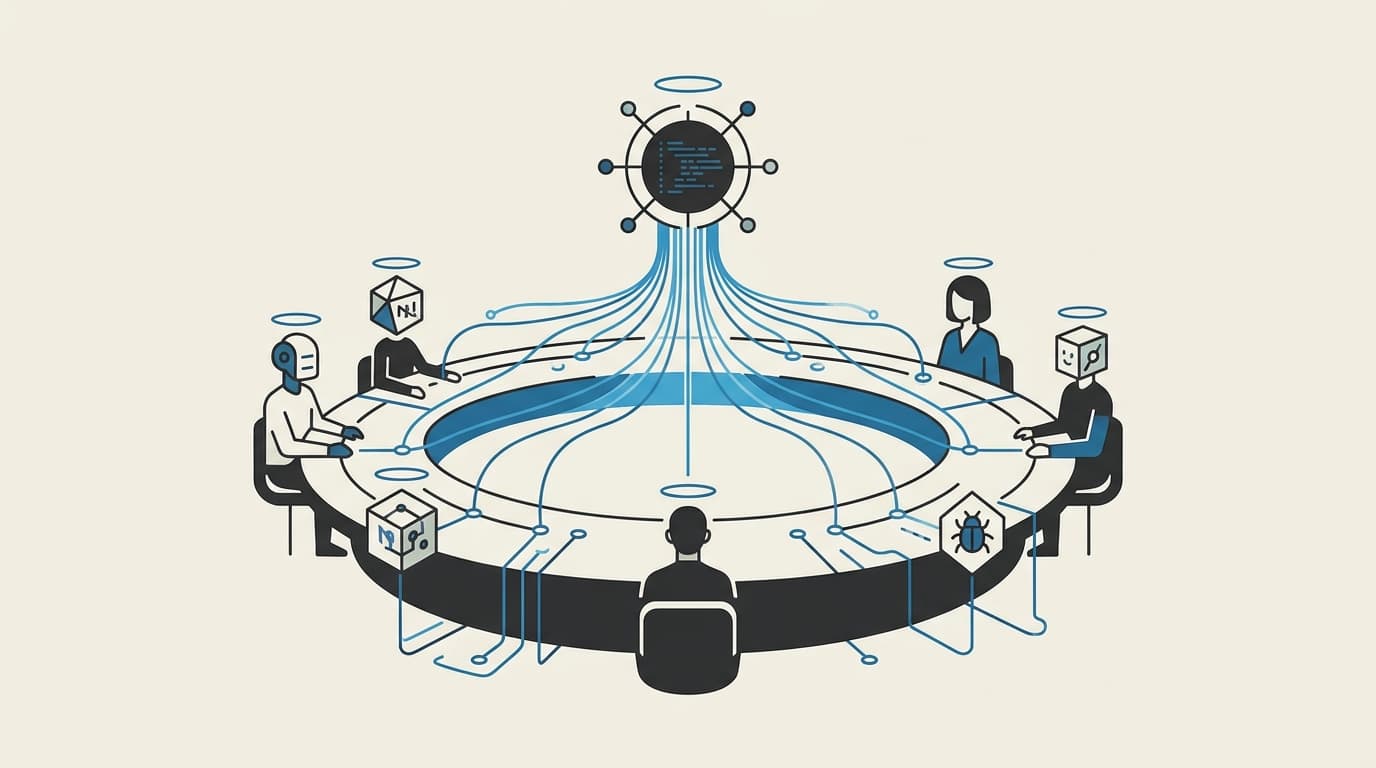
OpenFusion brings that exact council-of-models review to your desktop. It is a local tool that connects to your existing AI assistants through the open Model Context Protocol (MCP), letting your agent consult multiple AI models at once and synthesize their best ideas into a single, verified answer.
Here is how OpenFusion works as a product, why it changes the quality of work your AI agents produce, and how you can add it to your daily workflow in five minutes.
What OpenFusion gives your existing tools
OpenFusion is not another chat app you have to switch between. It works silently in the background, giving your favorite AI agents an on-demand deliberation room.
When your agent faces a difficult problem, it calls OpenFusion. OpenFusion queries two to five candidate models in parallel, runs their answers through a specialized two-step judge, and returns a unified synthesis highlighting agreements, resolving contradictions, and catching edge cases.
1. The Model Council (eliminate blind spots)
Instead of guessing whether your primary model is hallucinating, OpenFusion collects independent opinions from different model families (such as Anthropic, OpenAI, DeepSeek, Google, or local models). If three different models independently agree on a database migration strategy, your confidence in the solution goes up dramatically. If two models warn about a memory leak that the third missed, the judge incorporates the warning directly into the final plan.
2. Specialized Personas for Every Job
Different questions require different mindsets. OpenFusion comes with built-in personas that adapt the tone, critique style, and evaluation criteria of the council:
- Architecture & System Design: Focuses on scalability, operational maintenance, and failure modes.
- QA & Code Review: Actively searches for edge cases, security vulnerabilities, and missing error handling.
- Deep Research: Cross-examines sources, verifies facts across models, and synthesizes complex documentation.
- Product Management: Evaluates user experience trade-offs, scope creep, and business impact.
Your agent can automatically discover available personas and request the one best suited for the task at hand.
3. The Browser Playground (test ideas without coding)
You do not have to be inside an IDE or terminal to use OpenFusion. It includes a browser workbench (the Playground) hosted locally on your machine at http://localhost:9077.
You can paste a dilemma, upload relevant PDF or text documents, choose your persona, and watch the entire debate happen in real time. It is the easiest way to get multi-model second opinions on business contracts, marketing strategies, or technical specifications.
4. Hybrid Cloud and Local Privacy
OpenFusion lets you mix and match providers based on your privacy and budget preferences. You can run frontier cloud models alongside completely private, keyless local models running on your own hardware via Apple Silicon MLX or Ollama. Sensitive context stays on your machine, while general reasoning can leverage the cloud.
Step-by-step: setup and integration
Getting OpenFusion running on your computer takes less than five minutes.
Step 1: Install OpenFusion
Open your terminal and install the server globally (requires Node.js 22 or higher):
npm install -g openfusion-mcp
Step 2: Run the automated setup
OpenFusion includes an automated installer that detects the AI tools on your system (Claude Code, Cursor, Cline, Zed, Codex, Gemini CLI, and others), writes their configuration files, and installs the agent skills automatically:
openfusion-setup
Once the installer finishes, restart your AI agent so it recognizes the new server.
Step 3: Configure your models in the dashboard
Open the visual dashboard by launching:
openfusion-ui
Your browser will open to http://localhost:9077. Here you can:
- Select 2 to 5 Candidate Models (e.g. Claude 3.5 Sonnet, DeepSeek-V3, Gemini 2.0 Flash).
- Choose a Judge Model (a reliable reasoning model to synthesize the debate).
- Paste your provider API keys (stored safely in an encrypted local vault on your machine).
As soon as the status badge turns green, your entire agent setup is active.
When to use OpenFusion in your daily workflow
You do not need to run a multi-model fusion for simple tasks like fixing a CSS typo or renaming a variable. You use OpenFusion for the decisions where being wrong costs hours of refactoring.
Workflow 1: High-stakes architectural trade-offs
Before writing hundreds of lines of code, ask your agent to evaluate structural designs:
"I need to build an event processing worker that handles 5,000 webhook events per minute. Do the initial research on our database constraints, then run a fusion to compare a Redis queue versus a PostgreSQL streaming pull."
Your agent gathers your local project files, builds the context dossier, and invokes OpenFusion. You receive a synthesized plan that reconciles latency, infrastructure cost, and failure recovery.
Workflow 2: Root-cause debugging on stubborn bugs
When an issue resists standard troubleshooting, single models tend to repeat the same ineffective suggestions:
"We have an intermittent race condition during user checkout. Here are the logs and the session handler. Run a fusion with the QA persona to analyze the three most likely root causes and recommend a fix."
Because multiple model architectures evaluate the code concurrently, unusual concurrency bugs that one model overlooks are caught by another.
Workflow 3: Document and policy cross-examination
In the browser Playground, paste a proposed vendor SLA or API redesign alongside your internal requirements:
"Examine this vendor contract against our data compliance checklist. Identify points of ambiguity, hidden liabilities, and missing clauses."
The fusion output provides an itemized list of agreements, contradictions, and critical blind spots across all candidate models.
Summary comparison: single model vs. OpenFusion
| Capability | Standard Single-Model Agent | Agent with OpenFusion |
|---|---|---|
| Perspective | One model's training bias | 2–5 diverse model architectures |
| Hallucination risk | Unchecked single-point failure | Cross-checked consensus verification |
| Edge-case coverage | Often misses secondary constraints | Catches unique insights across models |
| Privacy & compute | Bound to one cloud vendor | Hybrid: mix cloud with local on-device models |
| Workflow friction | Must manually copy-paste across tools | Integrated directly into your existing agent |
By giving your coding assistant access to a council of models, you eliminate the single-model blind spot without adding manual overhead to your day. OpenFusion is fully open source—explore the code on GitHub, or continue with Part 3: The Multi-Model Advantage.
If you want to explore how custom multi-model pipelines and local agent workflows can accelerate your team's software delivery, book a discovery call—let's build a reliable AI strategy tailored to your operations.